DiskPulse provides the ability to send E-Mail notifications when a disk change monitoring command detects a user-specified
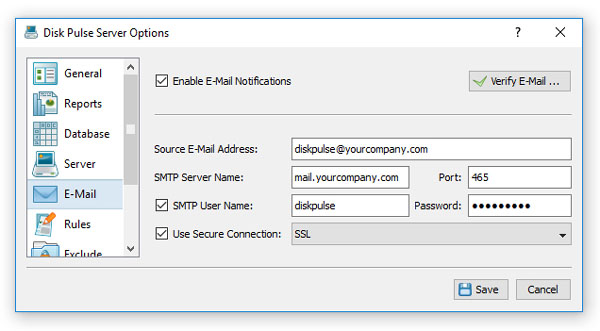
number of changes. In order to configure E-Mail notifications, open the main options dialog and select the 'E-Mail' tab.
On the E-Mail server configuration tab, enter the SMTP server host name, port, user name, password and the source E-Mail
address to use to send E-Mail notifications. Optionally, enable the secure SMTP connection mode and select an appropriate security algorithm.
Now, open the disk change monitoring command dialog, select the 'Advanced' tab, enable disk change monitoring actions,
press the 'Add Action' button, select an appropriate E-Mail notification type and enter a destination E-Mail address
to send notifications to.
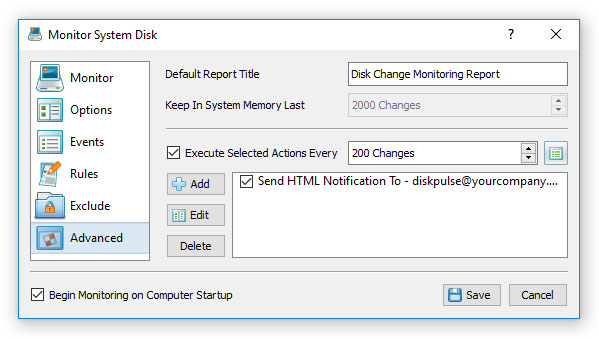
The simplest notification type is the 'HTML E-Mail Notification' which includes detected file system changes in the E-Mail message
body in the HTML format. Another option is to send an E-Mail notification with an attached PDF or Excel report, which include
graphical pie charts and additional statistics.


