
|
|
|
|
Monitoring a Disk or Directory
The simplest way to start monitoring a disk or directory is to enter the directory name in the directory entry located under the main toolbar and to press the 'Monitor' button located in the top-left corner of the main toolbar. On the profile dialog verify that all the parameters are selected correctly and press the 'Start' button to begin the monitoring process. 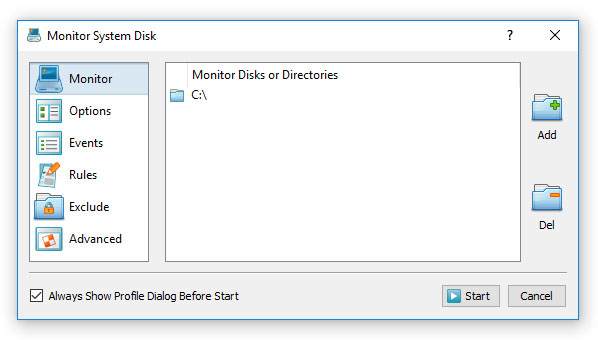
By default, DiskPulse will start monitoring all file system changes including file creations, modifications, file name changes, file attribute changes, file delete operations, etc. A custom set of file system change events that should be monitored may be selected on the 'Events' tab. 
As soon as a file system change will be detected it will be displayed in the change view. In order to temporary pause the monitoring process, press the 'Pause' button. Press the 'Continue' button to resume a previously paused monitoring operation. In order to finish the monitoring process, press the 'Stop' button located on the main toolbar. 
Click on a change item to open the change properties dialog. Select a change item, press the right mouse button and select the 'Open With' menu item to open the changed file with another program. Select a change item, press the right mouse button and select the 'Open Location in Explorer' menu item to open the item's directory in Windows Explorer.
|
DiskPulse News
|


