
|
|
|
|
Executing Custom Actions
DiskPulse Pro and DiskPulse Server provide power users and IT professionals with the ability to automatically generate reports, send messages to the system event log, save reports to an SQL database and/or execute custom commands, scripts and/or batch files when a disk monitoring operation detects a user-specified number of file system changes. 
In order to configure one or more notification or report generation actions, open the disk change monitoring command dialog, select the 'Advanced' tab, enable disk monitoring actions, specify the number of changes that should trigger disk monitoring actions and add one or more actions configured to perform required operations. 
Every time the specified number of file system changes will be detected, DiskPulse will perform the specified operations. In order to allow a custom command to access the latest list of file system changes, add an automatic report generation action and specify a pre-defined report file name, which will be used by the subsequent command action to access the change list. After finishing execution of the specified disk monitoring actions, DiskPulse will clear the change list and restart the disk monitoring operation. 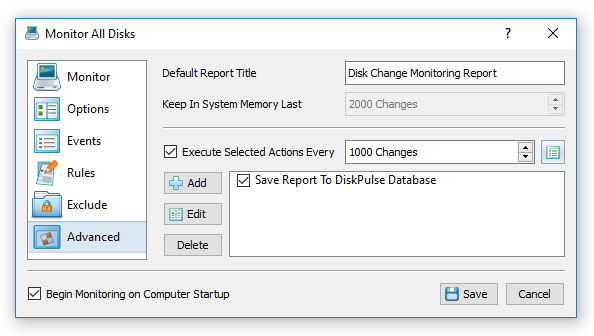
In addition, customers are provided with the DiskPulse Enterprise product version capable of receiving reports from multiple production servers and providing advanced report analysis capabilities. DiskPulse Enterprise stores disk change monitoring reports in an SQL database and allows one to define custom report analysis rules and issue E-Mail notifications when critical file system changes are detected.
|
DiskPulse News
|


