DiskPulse Logo

Using DiskPulse GUI Layouts

In order to improve GUI usability, the DiskPulse main GUI application provides three user-selectable GUI layouts. Press the 'Layouts' button to switch the GUI application to the next GUI layout.
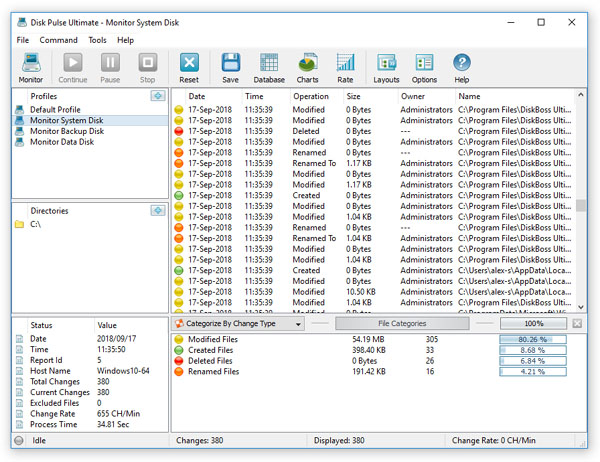
The first (default) GUI layout displays large toolbar buttons with descriptive text labels under each button and shows the directories entry and the profiles combo box under the main toolbar.

The second GUI layout displays small toolbar buttons with descriptive text labels beside each button and shows the directories entry and the profiles combo box under the main toolbar.

The third GUI layout displays small toolbar buttons without descriptive text labels and shows the directories entry and the profiles combo box as a single toolbar.

DiskPulse News

13-May-2026

DiskPulse v18.1 adds support for new file types to the built-in file classification plug-ins allowing one to monitor changes in specific types of files and improves the disk monitoring statistics pie charts. In addition, the new product version adds the ability to view disk change monitoring reports and export disk change monitoring reports using the DiskPulse command line utility and fixes a number of bugs.

13-Apr-2026

DiskPulse v18.0 redesigns the disk change monitoring results dialog, adds the ability to filter disk change monitoring reports by the report ID and improves the disk change monitoring reports dialog. In addition, the new product version improves the JSON, CSV, text and XML disk change monitoring reports, improves the main DiskPulse GUI application and fixes a number of bugs.

More News